Episode Template Editor
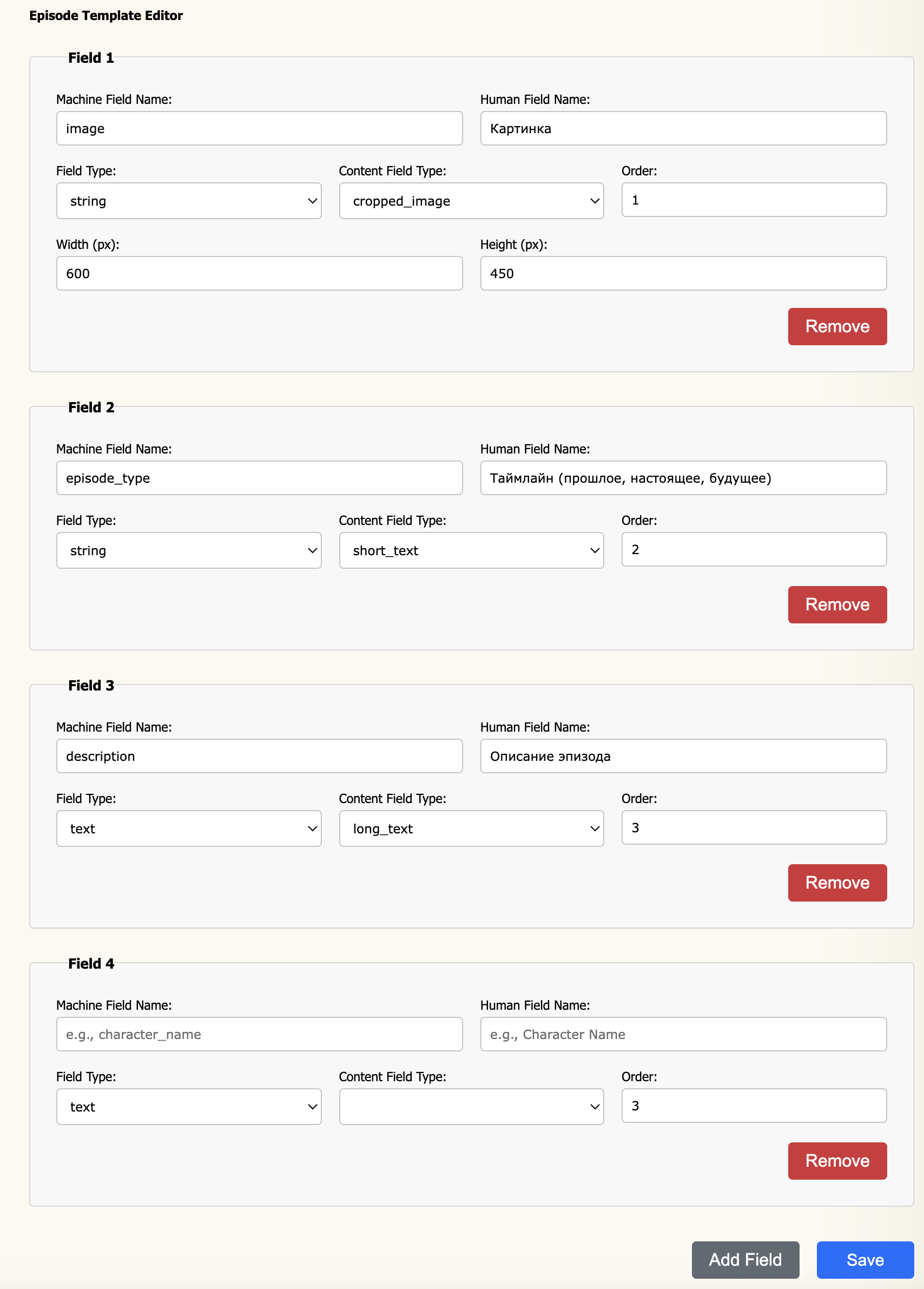
The Episode Template Editor defines the fields that appear on game topics (episodes) — the structured header shown at the top of an in-character thread. Use it to capture metadata like a cover image, timeline period, or episode summary that applies to the thread as a whole rather than to any individual post.
How it works
The interface is identical to the Character Template Editor. Each row defines one field; the order of rows controls the order fields appear in the episode header. When a member creates a new game topic, they fill in these fields before the thread begins.
Field properties
All field properties are the same as in the Character Template Editor. Refer to that page for a full description of Machine Field Name, Human Field Name, Field Type, Content Field Type, Order, and Width / Height.
Example template
A typical episode header might use the following fields:
| Machine Name | Human Name | Field Type | Content Type | Order |
|---|---|---|---|---|
image | Cover Image | string | cropped_image | 1 |
episode_type | Timeline | string | short_text | 2 |
description | Episode Summary | text | long_text | 3 |